FOR SERIOUS, SELECTIVE JOB SEEKERS
Organize your scattered job search across tabs, chats, and that spreadsheet you forgot existed.
JobInbox turns job links and descriptions into a clean application tracker. Know what you saved, track deadlines and follow-ups, and see patterns in your search — without maintaining a spreadsheet.
No auto-apply. No resume scoring. No fake productivity. Just a serious workspace focused on what matters.
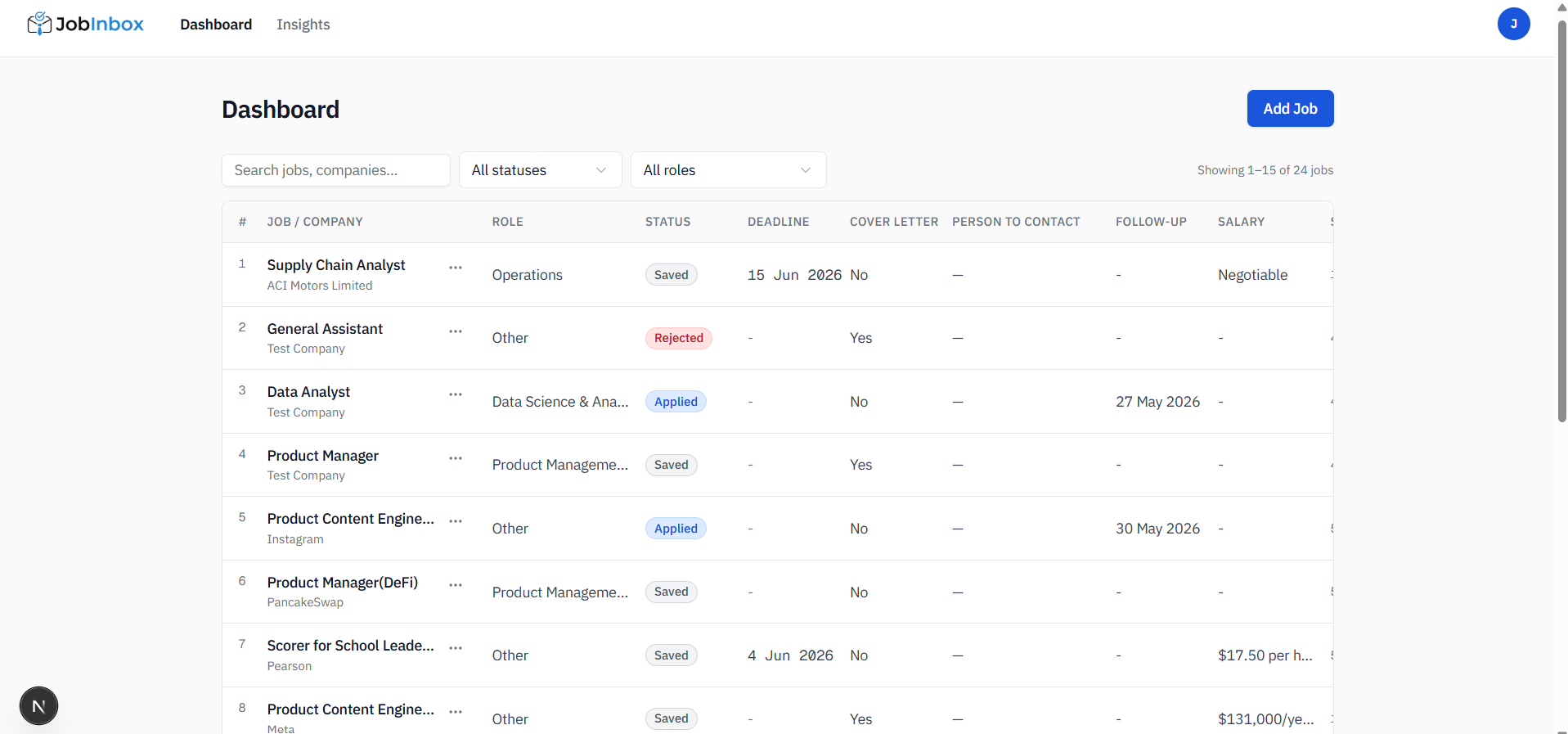
Every job saved. Every deadline visible. Every follow-up tracked.
This is for you if...
You apply carefully, not randomly.
You are not trying to submit 200 applications in one weekend. You care which roles fit your skills, direction, and next career move.
You know what you need to track.
The problem was never knowing the columns. The problem was that keeping them updated became a second job. So you stopped.
Your job links are scattered.
Some are in browser tabs. Some are in WhatsApp messages to yourself. Some are in LinkedIn saves. Some are in a spreadsheet you stopped opening.
You want control, not automation.
JobInbox organizes the admin work. You still decide where to apply, which CV to use, what to write, and what matters.
NOT BUILT FOR
Mass-applying to hundreds of jobs, one-click applications, or letting AI decide your career choices for you.
Three steps. Then you are organized.
No setup. No onboarding. No learning curve.
01
Save any job, from anywhere
Paste a job URL or the full job description into JobInbox. Or send a URL to the Telegram bot from your phone. No form to fill. No format required.
02
JobInbox extracts everything
Company, title, location, work type, salary, deadline, required skills, and a short summary — pulled into structured fields automatically. You review. You move on.
03
Track it through every stage
Manage each role as it moves through your application pipeline. Note your referral contacts, set follow-ups, and see which skills keep appearing across jobs.
What changes when your search is finally in one place.
Links disappear into places you forget to check.
Tabs stay open for weeks. WhatsApp becomes a storage system. Notes become messy. Jobs expire before you return to them.
Every opportunity has a home.
Each saved job becomes a structured row with the role, company, deadline, status, source, salary, notes, and the original job description.
Deadlines depend on memory.
You keep meaning to apply later, follow up later, or check the deadline later — until later becomes too late.
You stay ahead of deadlines.
When a deadline or follow-up date is saved, JobInbox keeps it visible and sends you a reminder before the important date.
Your search pattern stays invisible.
You cannot easily see which skills keep appearing, which role categories you are targeting, or where your best leads are coming from.
Your search starts showing patterns.
After saving a few jobs, JobInbox shows the required skills, repeated keywords, role categories, and source platforms appearing most often across your saved roles.
Links disappear into places you forget to check.
Tabs stay open for weeks. WhatsApp becomes a storage system. Notes become messy. Jobs expire before you return to them.
Every opportunity has a home.
Each saved job becomes a structured row with the role, company, deadline, status, source, salary, notes, and the original job description.
Deadlines depend on memory.
You keep meaning to apply later, follow up later, or check the deadline later — until later becomes too late.
You stay ahead of deadlines.
When a deadline or follow-up date is saved, JobInbox keeps it visible and sends you a reminder before the important date.
Your search pattern stays invisible.
You cannot easily see which skills keep appearing, which role categories you are targeting, or where your best leads are coming from.
Your search starts showing patterns.
After saving a few jobs, JobInbox shows the required skills, repeated keywords, role categories, and source platforms appearing most often across your saved roles.
AI should organize your job search, not take it over.
Most job search tools are built around one assumption: that applying to more jobs faster leads to getting hired sooner. We do not believe that. If you are reading this, you probably do not either.
We built JobInbox for the other kind. The kind who applies to five roles because they are the right five roles. Who believes the cover letter they wrote themselves is better than the one an AI generated in three seconds. Who wants a serious workspace for a serious search — not another tool promising to do the work for them.
JobInbox is built around a simple belief: the boring admin work should be automated, but the judgment should stay with you.
Your next serious application deserves better than a forgotten browser tab.
Start with one saved job. Add the rest as you find them. JobInbox keeps the structure so you can focus on the application.
Start tracking — no credit card neededTakes 60 seconds. No sign-up friction. Free for your entire job search.